I was able to poll a mouse with a gpu thread. what a flex 
now while i get the GPU Api ready for the Usual Concepts to 3D Graphics that you know and love, some of you could already get familiar with how network and filesystem works on my platform, im sure it will get you on a good path right away, together with your ambitious software projects.
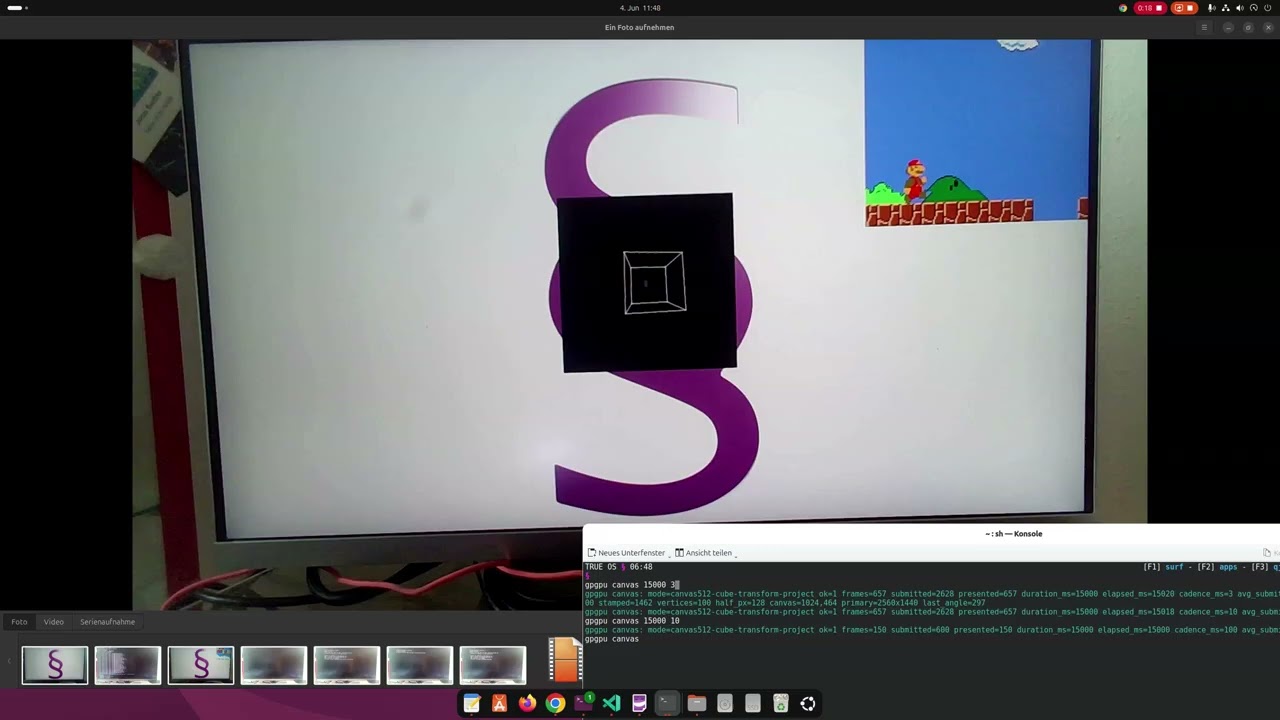
Working GPGPU Based Custom GPU Driver for intel XeLp - only on TrueOS!
approach, hit the barrier and can runtime compile the shade we need!

Install Guide
Install Emulator and Zip
sudo apt install qemu-system ovmf p7zip
Download and Unpack
wget https://trueos.eu/TrueOS.7z && 7z x TrueOS.7z -o.
You may aswell download the iso from https://www.trueos.eu
The folder contains 2 run scripts that launch the emulator.
Or you copy the contents of the iso to a usb pen.
User Guide
Shell

Use Concept
F1–F5 to Select the Mode
Good luck and have fun finding out all things
The Problem (Choice): The machines discovered that humans would only accept the Matrix if they had a choice to leave it, even at a subconscious level.
Matrix The Operator § (§ = The One)
How to actually use the CMD F4 mode of the shell of TRUE OS
A. § is Shells Headjack
B. §xzy is your Hard Lines—Constructs a Shell Matrix or Swap to it aka The Choice.
C. §xzy§ frees the slot aka The Reset.
D. § is colored so you always know about the loading program. (Running Jobs)
In TRUE OS your shell is connected to numerous backends, and you can swap § to any shell or spawn a new § one via § The Operator.
Developer Guide
How to Write a Rust Native App Using TRUEOS-Blueprints Toolkit
TLDR; Clone the Repository and run cargo bp to build and package the apps.
Inside the DIST folder your App/s will appear. You may upload them to your TrueOS host, right away to run them via "hv run" shell command directly using the CLI.
This section is meant for the people who want to access every feature and fully dive into the world of TRUE OS.
Shell Native Rust App
As an example, a command called echo2 or how I wrote Shell TETRIS using the Shell API.
But for now, create a main.rs and drop in the hello world.

Building the app is as simple as “cargo bp” That's all there is to it.
You can get the Blueprint Tool that does packing for you at the public github.
The readme contains brief instructions, but after the cargo bp, you only need to upload and run your object/blueprint.
GitHub - t4ce/TRUEOS-Blueprints · GitHub
“Use trueos-pack to build a blueprint (.bp); that is a packaged relocatable program layout that TrueOS realizes into runnable code at load time.”

GUI App
A rich UI desktop like Office Application.
Here we can learn about the native UI elements of TRUE OS. If you are familiar with HTML, CSS, and JavaScript, you are perfectly at home here. I provide a very nice toolset for your Web-like app. They run native to TRUE OS.
GPU GUI App
Use the FPS-optimized Graphics Render App Template that uses GPU hardware and a custom GFX backend for awesome graphics. (Shaders + Geometry and Meshed Full RGBA Texture Upload to GPU)
██████████████████████████████████████████████████████████████████████
██░        ░░       ░░░  ░░░░  ░░        ░░░░░░░░░      ░░░░      ░░██
██▒▒▒▒  ▒▒▒▒▒  ▒▒▒▒  ▒▒  ▒▒▒▒  ▒▒  ▒▒▒▒▒▒▒▒▒▒▒▒▒▒  ▒▒▒▒  ▒▒  ▒▒▒▒▒▒▒██
██▓▓▓▓  ▓▓▓▓▓       ▓▓▓  ▓▓▓▓  ▓▓      ▓▓▓▓▓▓▓▓▓▓  ▓▓▓▓  ▓▓▓      ▓▓██
██████  █████  ███  ███  ████  ██  ██████████████  ████  ████████  ███
██████  █████  ████  ███      ███        █████████      ████      ████
██████████████████████████████████████████████████████████████████████